
wendgameonline
Wend Game - LinkedIn Daily Word Puzzle Play Wend Game free online. Trace hidden words through neighboring letters, use every open tile once, and pract
About
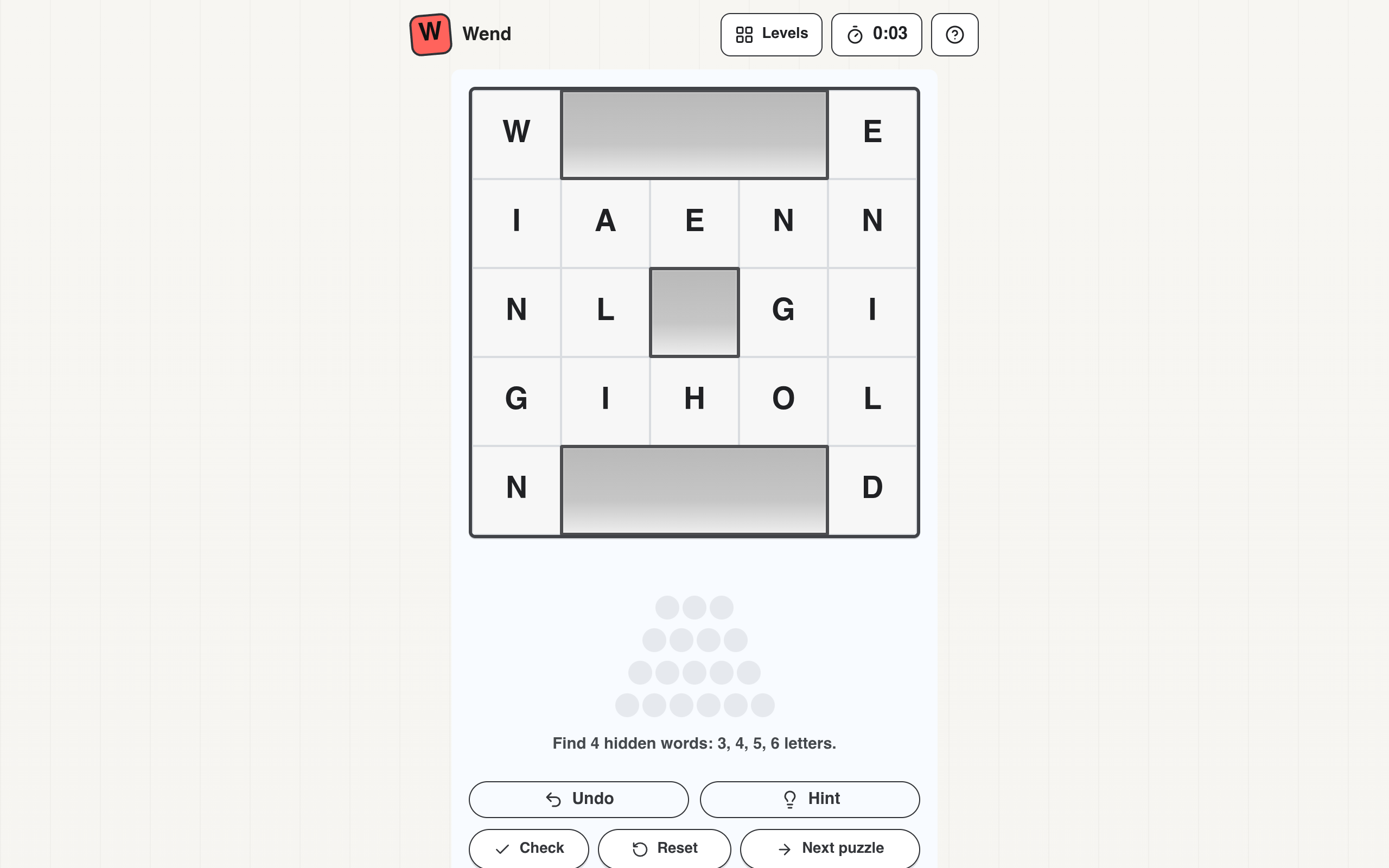
What Is Wend Game? Wend Game Online is an independent practice version of the Wend-style word puzzle. The official Wend game is LinkedIn's daily word-finding puzzle: players connect letters in a grid to uncover hidden words, and every letter is used exactly once. LinkedIn announced Wend on June 9, 2026. Its newsroom described Wend as a short focus break built around vocabulary, pattern recognition, and light logic. The same announcement said LinkedIn games had reached billions of puzzles solved, with 86% of players returning the next day and 82% still playing after seven days. LinkedIn Wend announcement Official Wend on LinkedIn How to Play Wend Game Online Start on any letter tile, then drag through tiles that touch horizontally or vertically. Diagonal moves do not count. A correct path fills the matching answer row and stays highlighted, which helps reveal the shape of the remaining answers. The key Wend rule is that every open tile belongs to exactly one word. A path can spell a real word and still be wrong if it traps another answer. That is why Wend plays like a word search, a maze, and a compact tiling puzzle at the same time. Moves Up, down, left, right Goal Use every open tile once Help Hint, Undo, Check Official Wend vs Free Practice The official LinkedIn Wend game gives players a daily puzzle, LinkedIn sign-in features, and the platform's game experience. Wend Game Online is a fan-made practice page for players who want to keep solving after the daily board or learn the rules before signing in. This page does not claim to be the official game and does not publish daily LinkedIn answers. It focuses on replayable practice boards, answer-friendly controls, and a clear explanation of how the Wend word path works.
Key Features
Replayable Practice Boards
Multiple practice puzzles in the official Wend style that you can play any time (not limited to a daily puzzle).
In-Game Help (Hint / Undo / Check)
Built-in Hint to reveal the next tile, Undo to step back on a path, and Check to verify completion without publishing daily answers.
Official-style Rules and Layout
Short-answer boards using three- to six-letter words with wall blocks and tile-tiling rules that mimic the official Wend experience for focused practice.
Answer-Friendly Controls
Touch and drag or click-and-drag controls that keep answer help inside the board for an earned, interactive solving experience.
How to Use wendgameonline
1) Open the board and start on any open letter tile. 2) Drag (or click-and-drag) through horizontally or vertically adjacent tiles to form a word — diagonal moves are not allowed. 3) Complete a listed answer (it will fill its row and remain highlighted); use Hint for the next tile, Undo to revert a step, and Check when the board looks complete. 4) Keep finding words so that every open tile is used exactly once; if a path traps tiles, backtrack and try a different route.