
Private Image Resizer and Compressor
Image Resizer helps you resize, compress, and export images directly in your browser without uploading them to a server.
About
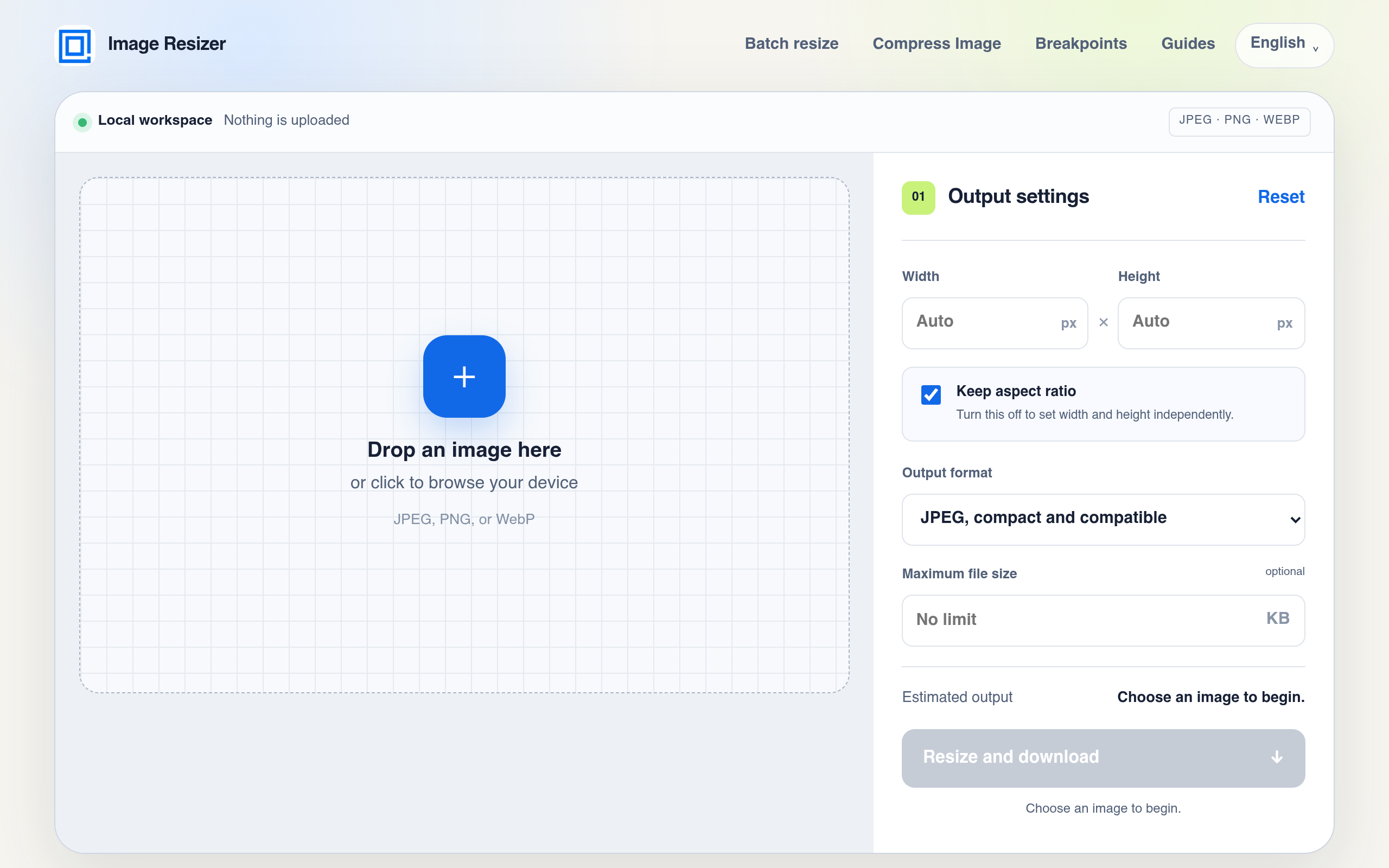
Image Resizer is a fast, privacy-focused tool for resizing and compressing images online. It works directly in your browser, so selected files are processed locally instead of being uploaded to a remote server. You can resize images by exact width and height, keep the original aspect ratio, convert between JPEG, PNG, and WebP, compress images toward a target file size, and process multiple files in batch mode. It is useful for profile pictures, forms, social posts, banners, document uploads, signatures, screenshots, and everyday image cleanup. The project also includes companion tools for Chrome, Firefox, Obsidian, and Android, so you can resize images in the workflow where you already keep them.
Key Features
Private processing
Resize and compress images locally in your browser without intentionally uploading files to a remote server.
Exact dimensions
Set a precise width and height in pixels for clean, predictable output.
Aspect ratio control
Keep the original proportions or unlock width and height for independent resizing.
How to Use Private Image Resizer and Compressor
1) Open the site and drag-and-drop or click to select one or more JPEG, PNG, or WebP files. A preview and the original file details appear immediately. 2) Choose output settings: enter exact Width and Height (px), toggle 'Keep aspect ratio' to preserve proportions, or pick a preset for common social sizes. 3) Select an output format (JPEG, WebP, PNG) and optionally set a maximum file size (KB) to compress toward a target. Review the estimated output. 4) Click the resize/compress action and download the processed image(s). All processing happens locally in your browser—nothing is uploaded to a server.