
Opal
Spatial knowledge management for solopreneurs, freelancers, and neurodivergent thinkers who want total control of their projects.
About
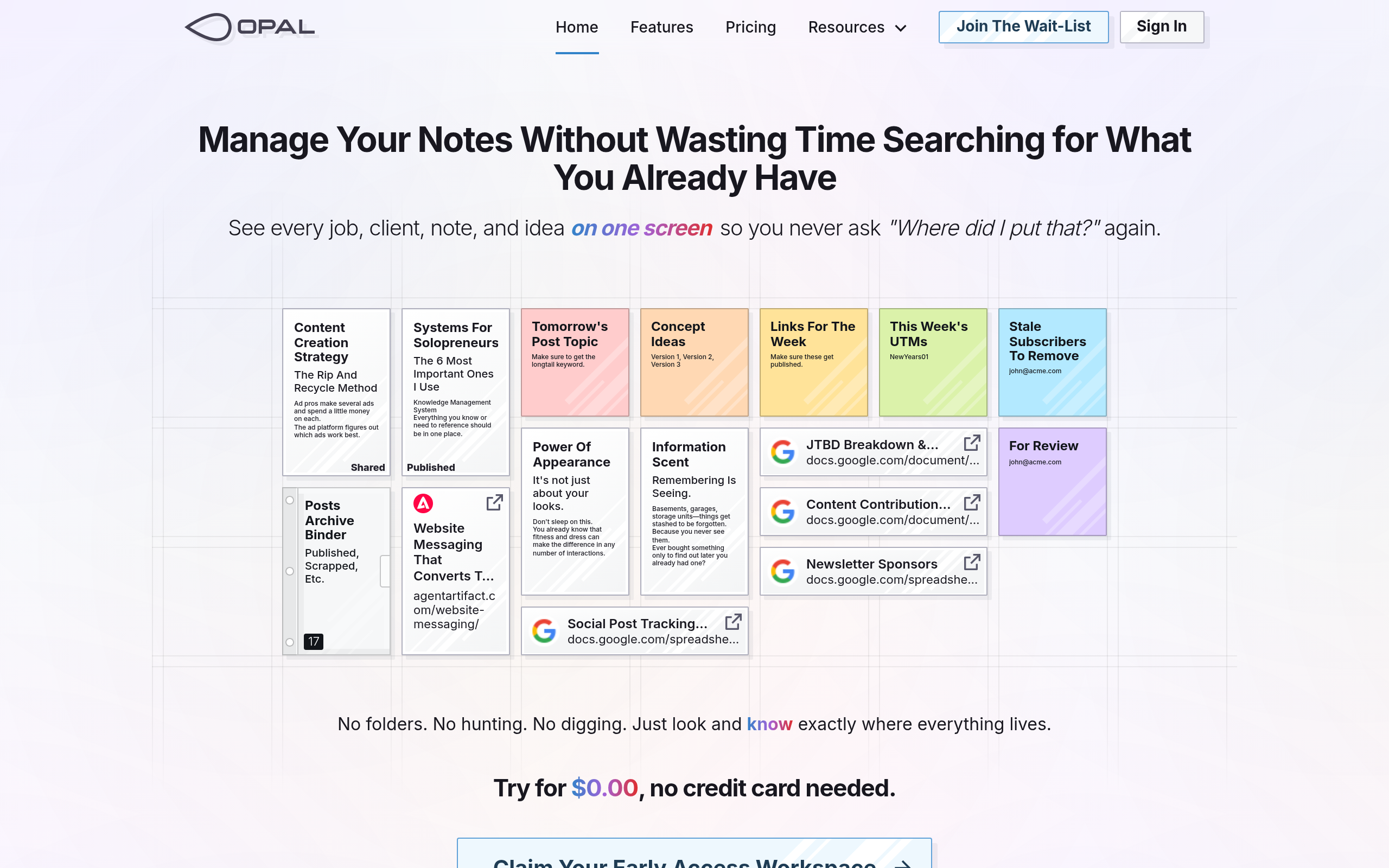
Do you hate losing and searching for what you already have and are tired of trying and quitting productivity apps? If so, that's because you remember *where* things are, not just what they're called. Manage your notes, documents, and important files on a visual, infinite canvas. Organize your draggable content spatially on a digital **desk** where everything remains visible, what's important stays top of mind, and whatever you need in the moment is opened and ready in seconds without the frustration of digging through buried folders, tree structures, categories, and clicks. - Author content with rich media in a markdown-based block editor - Build your knowledge base, write scripts, author manuals, cross-reference standard operating procedures, or just connect ideas with internal item links - Share and collaborate in real time - Connect your AI agent with the Opal Recall skill to Opal through the API - Store PDFs, images, and files - Publish to the web
Key Features
Infinite Spatial Workspace
A visual, scrollable canvas (digital desk) where you place, group and arrange notes, files and items spatially so everything stays visible and easy to find without nested folders.
Markdown-based Block Editor
Create and edit rich text documents with markdown support, embed media, create internal item links, and compose structured notes, SOPs, scripts and manuals.
File & Media Storage
Attach and store PDFs, images and other files directly on the canvas so reference materials stay available in context with your notes and projects.
Real-time Collaboration & Publishing
Share workspaces and collaborate live with others, and publish selected content to the web for external sharing or client-facing documentation.
AI & API Integration
Connect external AI agents via the Opal Recall skill and API to automate workflows, surface relevant items, or build AI-driven assistants that interact with your workspace.
How to Use Opal
1) Create a workspace: Sign up and open a new workspace (your digital desk). 2) Add Items: Create notes, paste links, upload PDFs/images, or write docs in the markdown block editor — each becomes an item you can place on the canvas. 3) Organize spatially: Drag, stack, and group items where they make sense visually so your brain can map where things live; open multiple items side-by-side for context. 4) Collaborate & publish: Invite collaborators to work in real time, publish pages to the web when needed, or connect an AI agent via the API to surface or automate content.