
OK CLI
A tool to help developers, software engineers, develop apps while ensuring the app quality
About
OK CLI is a modern command-line interface that empowers developers to build, deploy, and manage applications with speed and confidence. Whether you're setting up a new project, deploying updates, or automating development workflows, OK CLI eliminates complexity and keeps your focus on writing great software. Built for efficiency, it transforms repetitive tasks into streamlined commands that accelerate the entire development lifecycle.
Key Features
Project Scaffolding
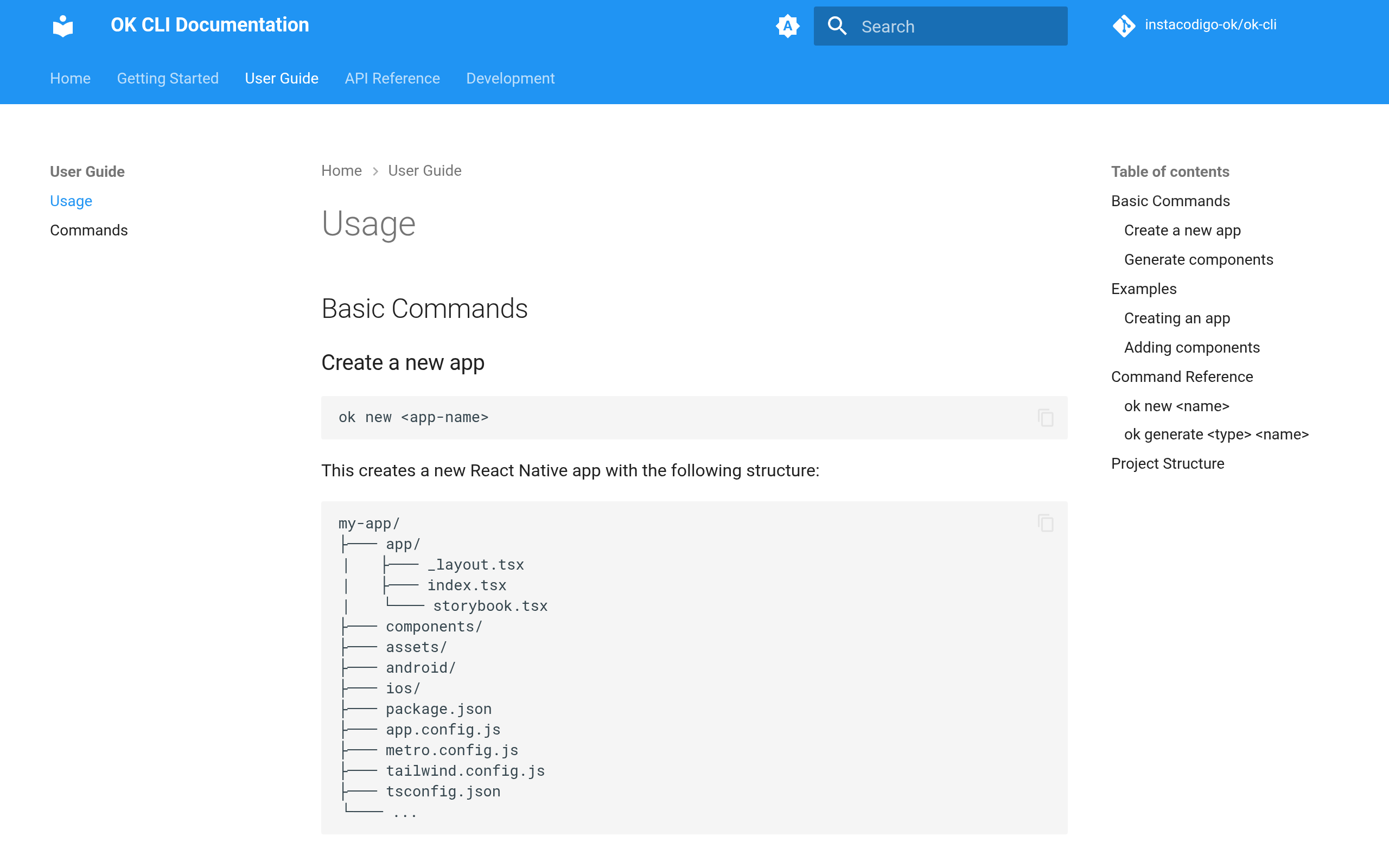
Create a new React Native app scaffold with a single command (ok new <app-name>) including app structure, config files (tsconfig, metro, tailwind), and platform folders (ios/android).
Component & Template Generator
Generate ready-to-use components, pages or services (ok generate component <name>) that include TypeScript component files, type definitions, Storybook stories and unit test files for consistent, testable code.
Opinionated Project Structure
Provides a standard project layout and conventions (components/, app/, assets/) so teams can maintain consistency and faster onboarding across projects.
Command Reference & Extensible Templates
Comprehensive CLI command reference with options and extensible templates to customize generated items and automate repetitive development tasks.
How to Use OK CLI
1) Install OK CLI following the project's installation instructions (or the provided package/distribution). 2) Create a new app: run ok new MyAwesomeApp, then cd MyAwesomeApp and install project dependencies (npm install or yarn). 3) Add components or other items: use ok generate <type> <name> (for example ok generate component Button) — generated files include TSX component, types, Storybook story and unit test. 4) Run and iterate: run your usual React Native start/build commands (expo start, npm run ios / npm run android or your configured scripts), update templates or re-run generators to extend the project.