
OC Creator (AI Art Loom)
Create an original character portrait with AI in seconds—free, no sign-up.
About
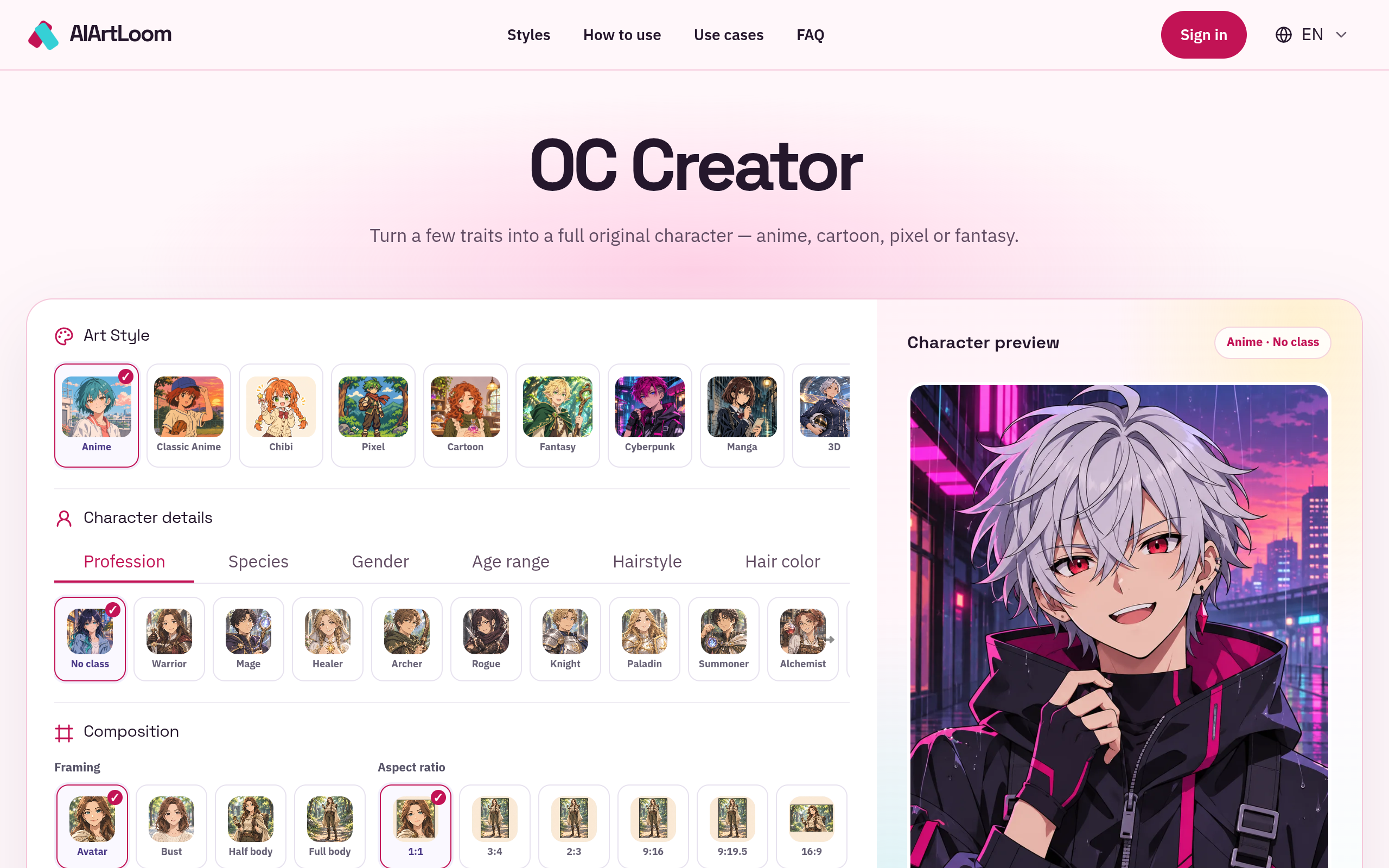
OC Creator on AI Art Loom turns a few character traits into a portrait or full-body original character. Choose a style such as anime, chibi, pixel, cartoon, fantasy, manga, cyberpunk, or 3D, then set appearance, species, profession, expression, framing, and an optional prompt. Guests get one free image per day; signed-in users get three. Downloads are PNG, and commercial use is allowed subject to the terms.
Key Features
Visual trait cards
Select character attributes (species, age range, role, hairstyle, hair color) using clickable visual cards instead of writing or weight-tuning prompts.
Multiple art styles
Choose from many built-in styles including anime, chibi, pixel, cartoon, fantasy, manga, cyberpunk and 3D to match your project's tone.
Flexible framing & aspect ratios
Pick avatar, bust, half-body or full-body composition and common aspect ratios (1:1, 3:4, 2:3, 9:16, 16:9) for profile images, character sheets, or full illustrations.
Prompt & preview workflow
Add a short scene or lighting cue, preview the image live, tweak a single trait, and save your prompt notes alongside the download for repeat runs.
Free daily images & PNG downloads
Guests get one free portrait per day (signed-in users get three), images download as clean PNGs and commercial use is allowed subject to terms.
How to Use OC Creator (AI Art Loom)
1) Open the studio and pick an art style (anime, chibi, pixel, manga, fantasy, 3D, etc.). 2) Build your character by clicking visual cards for species, gender/age range, profession/role, hairstyle and hair color; use Randomize for new ideas. 3) Choose composition (avatar, bust, half-body, full-body) and an aspect ratio, then add a short scene or prop cue in the prompt box if desired. 4) Preview the generated portrait, adjust a single trait if needed, then download the PNG (or save with prompt notes if signed in).