
Mixdesk
Shared inbox and AI Agents for customer support and sales teams.
About
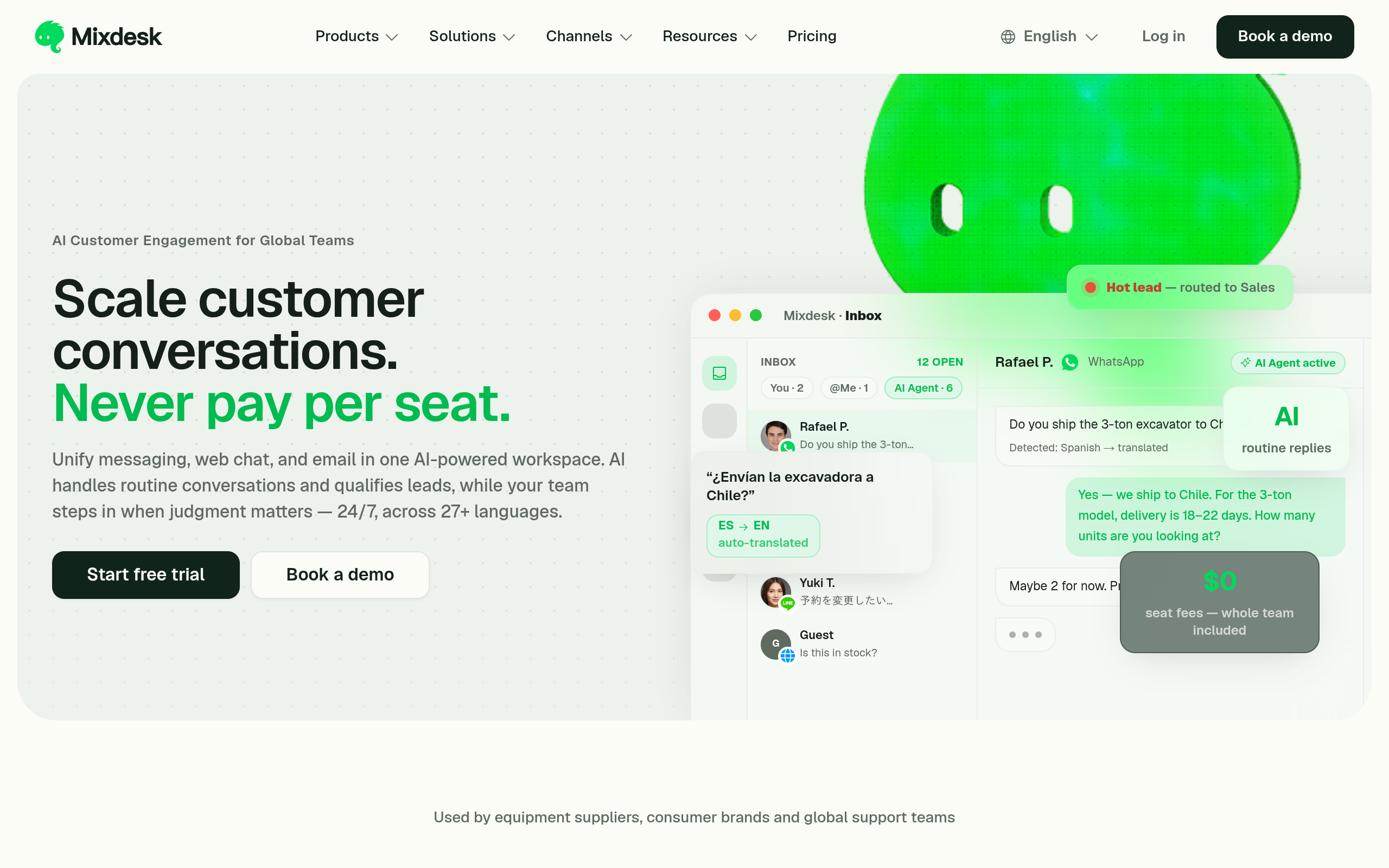
Mixdesk brings connected messaging accounts, website chat and email into a shared workspace for customer support and sales teams. Teams can configure AI Agents using business knowledge and route conversations requiring human attention to teammates. A free inbox plan is available; AI Agent capabilities require an eligible paid plan. See https://mixdesk.com/pricing for current options. Submitted by the Mixdesk team.
Key Features
Omnichannel Shared Inbox
Unify WhatsApp, Instagram, Messenger, TikTok, web chat, email and other channels into a single workspace so teams see full conversation history and assign owners.
Configurable AI Agents
Create AI Agents that use your business knowledge to answer routine questions, auto-translate messages and qualify leads before handing off to humans.
Automation & Routing Rules
Build rules to route conversations, escalate issues, tag messages and trigger workflows so the right teammate or team receives each conversation instantly.
Lead Qualification & Sales Routing
Automatically detect buying intent, collect lead details, mark lead status and route hot leads to sales reps to accelerate pipeline creation.
Multilingual Support & Reporting
Support 27+ languages with auto-translation and get data insights on service performance, response quality and customer needs.
How to Use Mixdesk
1) Sign up and connect channels: Create an account, link WhatsApp, social DMs, web chat and email accounts to bring messages into the shared inbox. 2) Configure AI Agents: Train or configure AI Agents with company knowledge, canned answers and approval policies so they can handle routine queries. 3) Set automation & routing: Define rules to tag, route and escalate conversations to the right team or owner and enable lead qualification flows. 4) Monitor and act: Review AI-handled conversations, intervene on escalations, follow up on routed leads and use analytics to refine agent behavior and automations.