
Mii Maker
A browser-based Nintendo Mii editor. Open, edit, and save Mii data files.
About
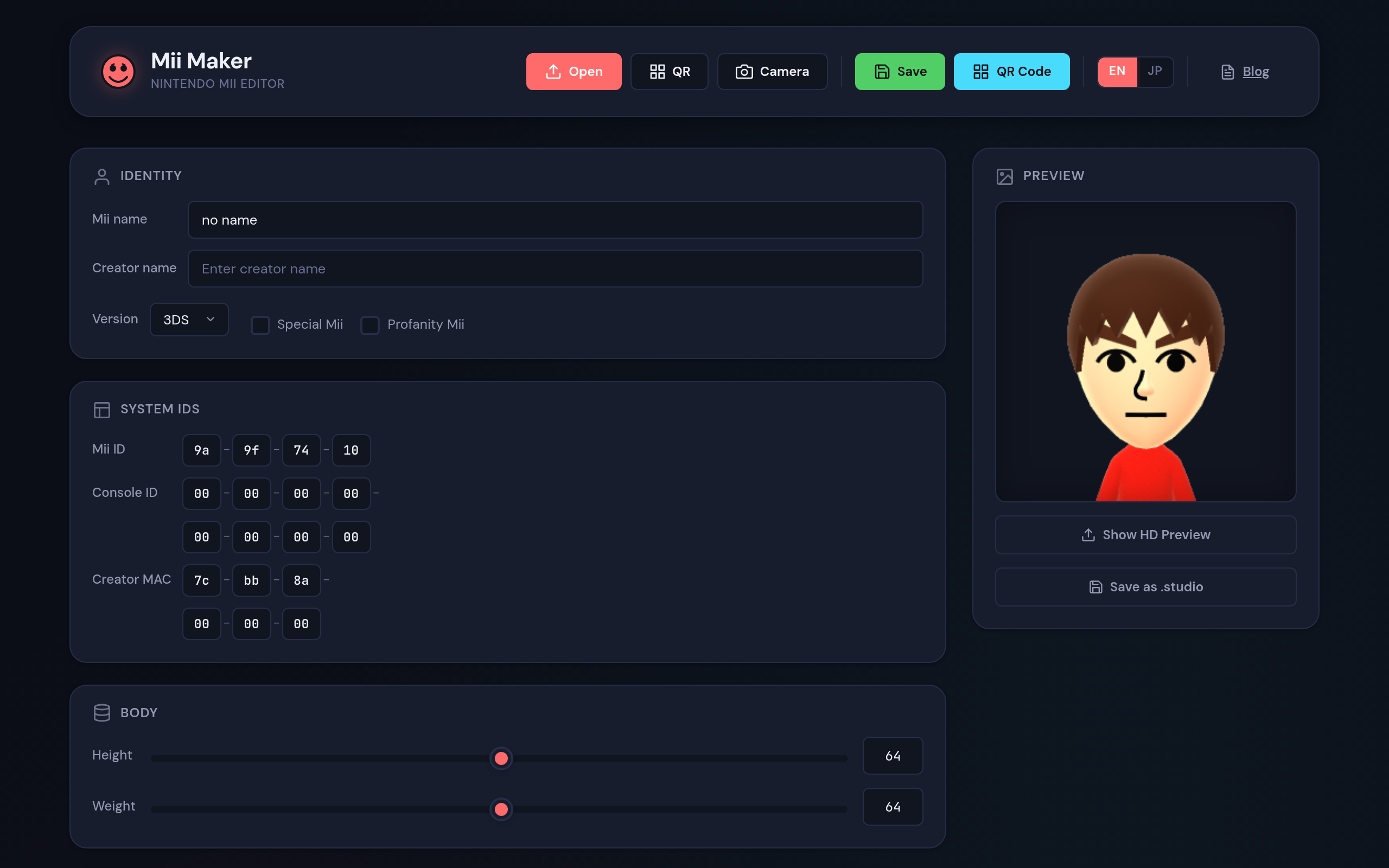
Mii Maker is a browser-based editor for Nintendo 3DS Mii data. You can create Mii characters with Chinese characters and special symbols, upload and edit Mii files extracted using tools like Mii Manager, then save and reimport them back to your 3DS. It also supports creating special Miis (golden Mii) and generating QR codes that work on unmodified consoles — no custom firmware required
Key Features
Browser-based Local Editing
All Mii editing and file processing happens locally in your browser — no uploads or storage on external servers.
Full Kanji & Special Symbol Support
Enter Chinese characters (Kanji), Korean, Taiwanese characters, and Nintendo special symbols in Mii names and creator fields without limitations.
Nintendo-compatible QR Code Generator
Generate standard Mii QR codes that can be scanned with the built-in Mii Studio QR scanner on unmodified Nintendo 3DS systems — no homebrew required.
.3dsmii Import & Export
Open Mii files exported from tools like Mii Manager, edit properties, then save a modified .3dsmii file for reimporting to your 3DS.
Special & Golden Mii Creation with Live Preview
Create special Miis (e.g., golden Miis), preview HD images using Nintendo's Mii Studio API, and save QR or file outputs.
How to Use Mii Maker
1) Open or create: Click 'Open' to upload a .3dsmii file exported from your 3DS (via Mii Manager) or start a new Mii in the editor. 2) Edit properties: Change name, creator name, region, body settings, birthday, favorite color and use Kanji/special symbols as needed. Use the preview to check appearance. 3a) Generate QR (no homebrew): Click 'QR Code' to produce a Nintendo-standard QR code. Scan it with the 3DS Mii Studio QR scanner to import the Mii on an unmodified console. 3b) Save file (file import path): Click 'Save' to download the edited .3dsmii file, then reimport it to your 3DS SD card using Mii Manager or a similar tool.