
MathsGPT
French AI maths assistant for text and homework photos, with step-by-step explanations, PDF study, quizzes and graphing tools.
About
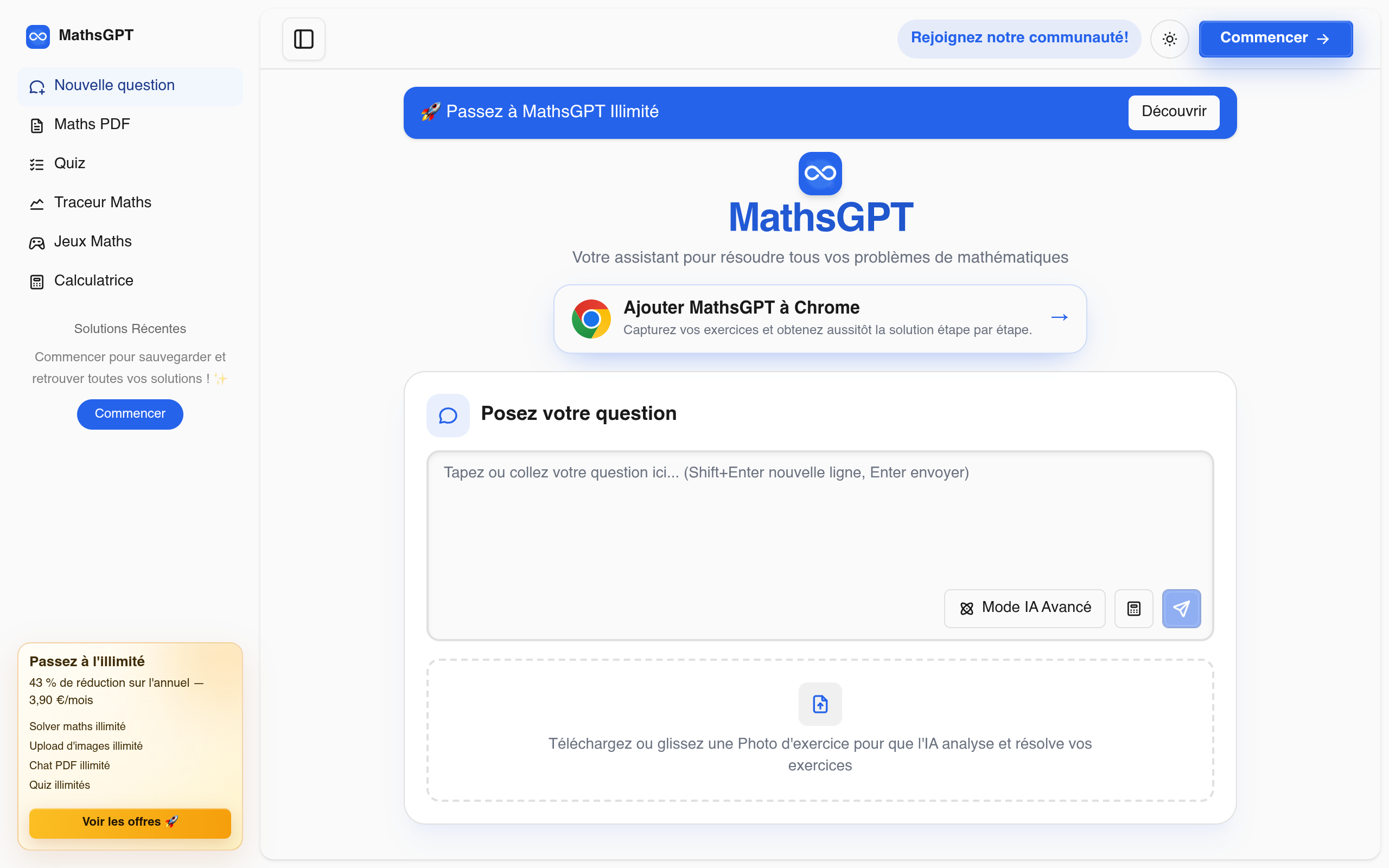
MathsGPT is a French-language AI maths workspace. Users can type an exercise or upload a homework photo to receive an explanation of the method. The site offers PDF maths study, practice quizzes, a graph plotter, maths games and a calculator. Its Chrome extension helps capture exercises for step-by-step study. Limited free access is available, and paid subscription plans provide more usage under the site rules. The listed zero price refers to starting with free access; it does not describe the paid subscription. The website presents examples in calculus, geometry, equations and arithmetic sequences. MathsGPT is an independent service and is not affiliated with or sponsored by OpenAI. Users should check mathematical results and use the explanations to understand the reasoning.
Key Features
Photo & Handwritten Problem Solver
Upload photos of exercises (including handwritten work). The service performs OCR/analysis and returns a step-by-step solution and method.
Step-by-step Explanations
Detailed, structured explanations for problems (calculus, geometry, equations, sequences, etc.) to help users understand the reasoning, not just the final answer.
PDF Study & Chat PDF
Import or generate PDFs for study: review, ask questions about PDF content, and save or download organized solutions and notes.
Interactive Tools (Graphing & Calculator)
Integrated graph plotter and scientific calculator to visualize functions, solve numerically, and check results interactively.
Practice Quizzes & Learning Games
Auto-generated quizzes and simple maths games for practice and revision, with options to repeat and track progress.
How to Use MathsGPT
1) Open mathsgpt.fr and (optionally) create an account to save sessions. 2) Enter your problem in text or click to upload/drag a photo of the exercise (handwritten supported). 3) Choose the tool/mode you want (AI solver, PDF chat, graph plotter, quiz or calculator) and submit. 4) Read the step-by-step solution, ask follow-up questions for clarification, practise with quizzes, or export/save the PDF of solutions.