
LemGen
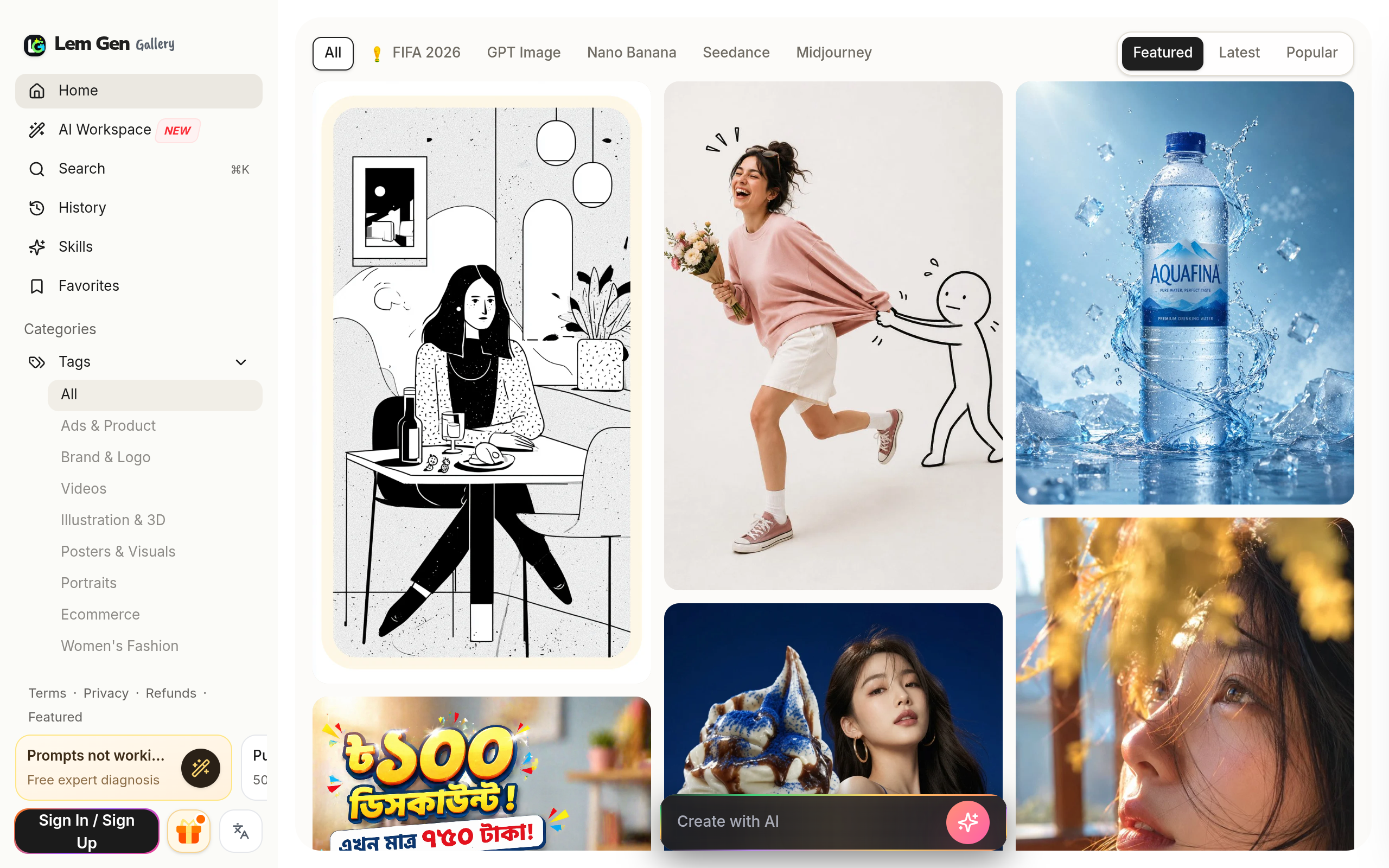
LemGen is a web-based ai prompt tool for prompt discovery and creative ideation.
About
LemGen gives creators and production teams a practical browser-based workflow for prompt discovery and creative ideation. Its reusable profile is written conservatively so directory and resource-page submissions can be adapted to the context of each publication. Its main value is: lemGen helps users move from an idea or source asset to a usable creative output in a focused web workflow. Teams can use it for prompt discovery, creative ideation, and workflow research. Relevant topics include AI prompts, prompt workflow, creative ideation, lemgen, middlegen, lemgen.org, and AI Prompt.
Key Features
Prompt Gallery
A searchable, categorized collection of community and expert prompts for multiple models (GPT Image 2, Nano Banana, Seedance, Midjourney, etc.) you can copy, adapt, and reuse.
Multi-model Support
Built to target a range of image/video generation models and formats so prompts can be previewed or exported for different engines and pipelines.
Reusable AI Workspace & Profiles
Personal or team profiles and workspace with history, skills, favorites and reusable prompt templates to maintain consistent creative workflows.
Search, Tags & Filters
Robust search, tagging, categories and filtering let you discover prompts by model, style, use case, popularity or featured status.
Publish & Community Rewards
Submit and publish prompts to the gallery, get featured, and earn credits or community feedback — useful for collaboration and sharing best practices.
How to Use LemGen
1) Browse or search the LemGen Gallery: use the search bar, tags, categories, or model filters to find prompts for your target engine (GPT Image 2, Nano Banana, Seedance, Midjourney, etc.). 2) Select and customize a prompt: open a prompt to view details, then edit it in your workspace or profile to suit your creative brief or source asset. 3) Export/copy and generate: copy the adapted prompt to your model of choice or use any integrated generation options (image/video) if available; iterate using history and workspace tools. 4) Save, share or publish: add prompts to Favorites or Skills, save reusable profiles for team workflows, or publish prompts to the gallery to share and earn credits.