
Kvio
Create AI videos and images in one workspace with six video models, prompt controls and private generation history.
About
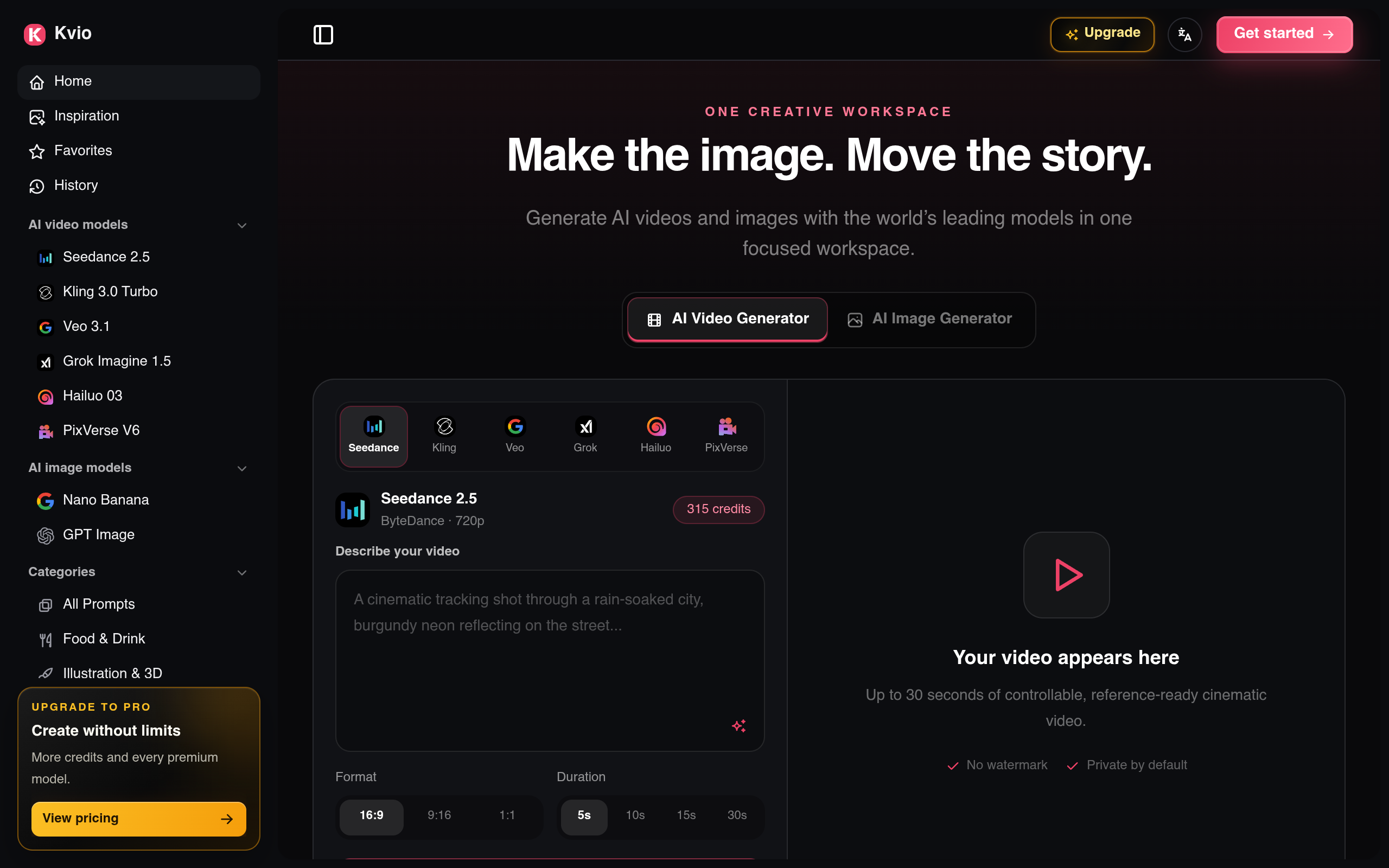
Kvio is a browser workspace for AI video and image generation. Choose from Seedance 2.5, Kling 3.0 Turbo, Veo 3.1, Grok Imagine 1.5, Hailuo 03 and PixVerse V6, enter a prompt and select the available format and duration. Image creation uses Nano Banana and GPT Image. Generation costs are shown in credits before each job, and outputs are stored in a private history for download. The Starter subscription costs $8 per month for 400 credits; Pro and Ultra provide larger monthly credit allowances.
Key Features
Multi-model Video Engines
Choose from six leading video models (Seedance 2.5, Kling 3.0 Turbo, Veo 3.1, Grok Imagine 1.5, Hailuo 03, PixVerse V6) to compare motion styles and outputs without rebuilding your workflow.
Integrated Image Models
Switch seamlessly to image mode using Nano Banana or GPT Image for ideation, editing, and production assets within the same workspace.
Prompt Controls & Format/Durations
Enter detailed prompts and select output format (16:9, 9:16, 1:1) and duration (up to 30s) with visible credit cost estimates before generation.
Private History & Downloadable Outputs
All prompts, outputs and credits are stored privately in a history with R2 storage, making assets easy to revisit, compare and download.
Credit-based Pricing & Tiers
Generation costs are presented per job in credits; subscription tiers (Starter, Pro, Ultra) provide monthly credit allowances for predictable budgeting.
How to Use Kvio
1) Sign up or log in to Kvio and pick a subscription or use free starter credits. 2) Choose your workspace mode: Video (select one of the six video engines) or Image (select Nano Banana or GPT Image). 3) Enter a prompt, choose output format (16:9 / 9:16 / 1:1) and duration for videos (5–30s); review the credit cost shown. 4) Click Generate, preview the result in your workspace, then save/download from your private history. Adjust prompts or switch models to iterate.