
Beattagmaker
Create custom producer tags and beat tags with multiple voices, effects, and MP3 or WAV downloads in seconds.
About
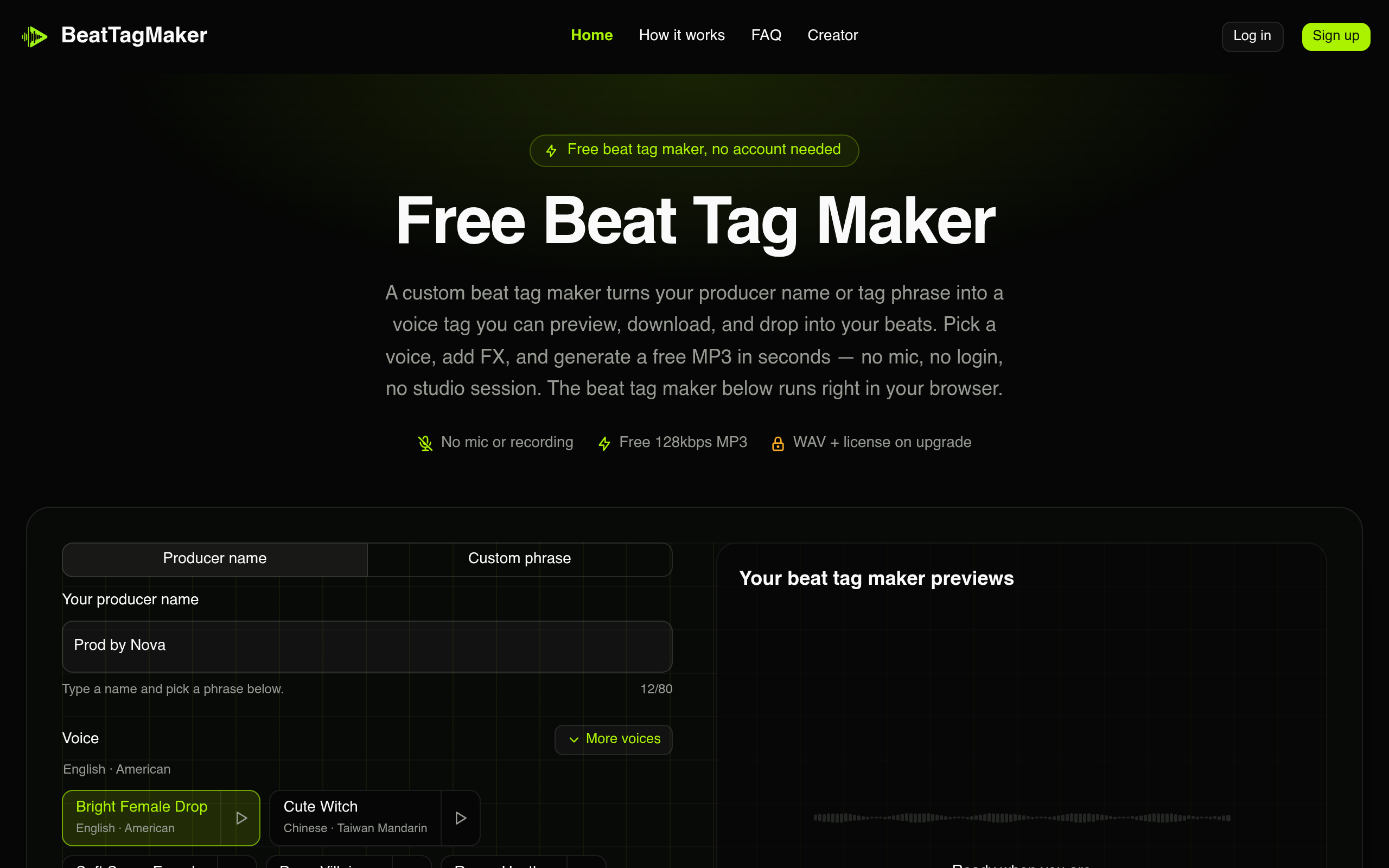
Beat Tag Maker is an online tool for music producers, beatmakers, artists, and DJs who want to create custom producer tags quickly. Enter a producer name, phrase, or vocal line, choose a voice, and generate a ready-to-use beat tag in seconds. You can further shape the sound with effects such as reverb, delay, pitch shifting, radio, lo-fi, wide, and punchy processing. Beat Tag Maker is designed specifically for producer tags rather than general voice generation, making the workflow simple and fast. It can be used for beat stores, YouTube beats, songs, demos, producer branding, and commercial music projects. Finished tags can be downloaded as MP3 or WAV files and imported directly into DAWs such as FL Studio, Ableton Live, Logic Pro, or other music production software.
Key Features
Instant Text-to-Tag Generation
Type a producer name or custom phrase and generate a vocal producer tag in seconds without needing a microphone or voice actor.
Multiple Voice Styles
Choose from curated voice personalities (e.g., Bright Female, Deep Intro, Radio ID, Hype Male) tailored for producer tag use cases.
One-Click FX Chains
Apply ready-made effect chains like Club Reverb, Radio Drop, Dark Trap, Lo-Fi Tape, Wide Intro and Punchy Hook to shape the tag’s character quickly.
Export MP3 & WAV with Commercial Rights
Download watermarked MP3 previews for free and generate clean MP3 + 44.1kHz WAV files with credits; commercial-use rights included with paid downloads.
Preview & Compare Workflow
Listen to multiple previews, compare versions side-by-side, then render the final clean file—optimised for fast iteration in beat production workflows.
How to Use Beattagmaker
1) Enter your producer name or switch to Custom Phrase and type the exact line you want spoken. 2) Choose a voice personality that fits your style (bright, deep, radio, hype, etc.). 3) Select an FX style (Reverb, Radio Drop, Lo-Fi, Punchy Hook, etc.) and audition previews. 4) Compare previews and download a free watermarked MP3 or spend credits to generate clean MP3 + WAV files for use in your DAW or commercial releases.