
appyq.com
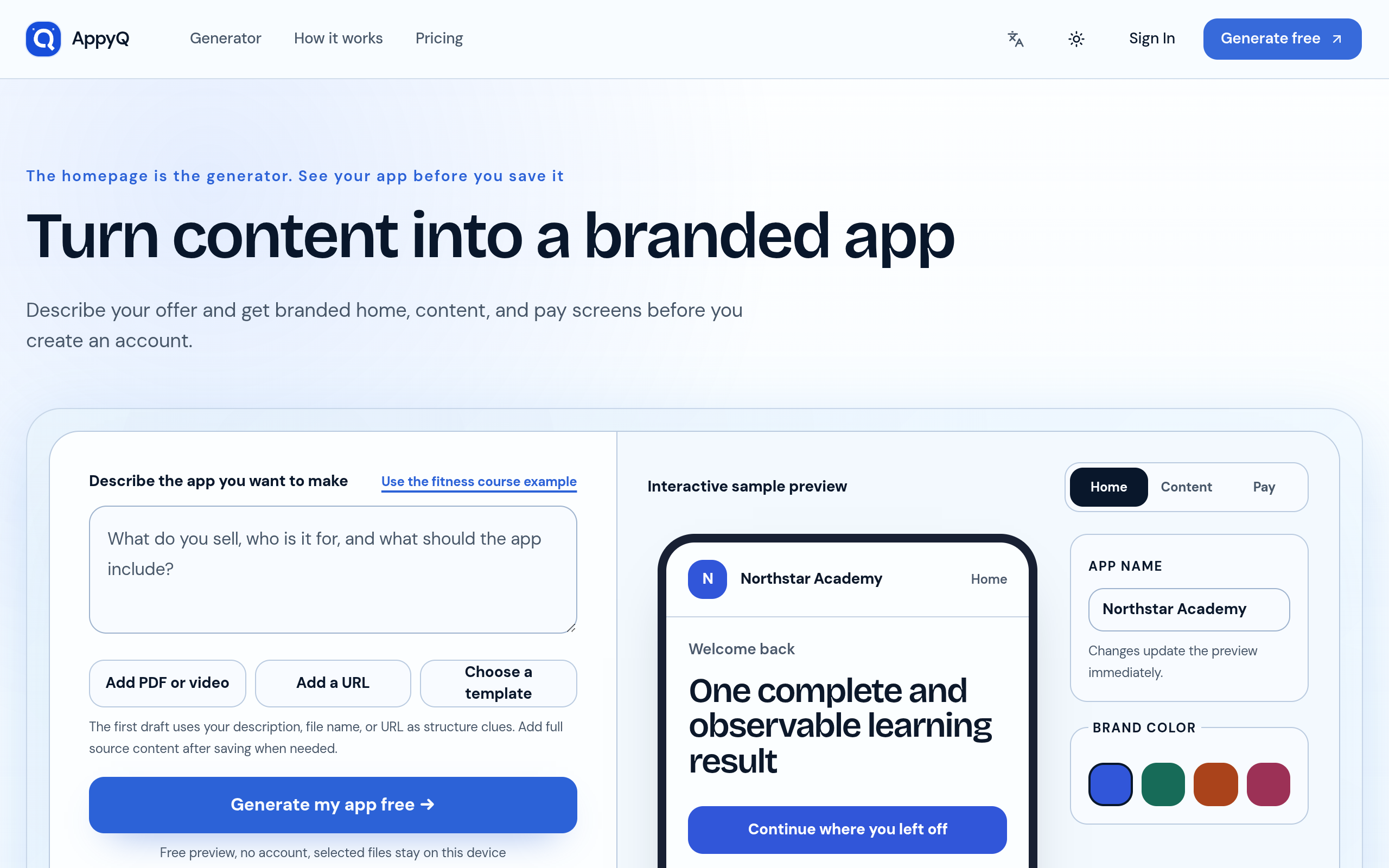
Free branded app preview generator with home, content, and pay screens for eight creator business types.
About
appyq.com lets creators describe their offer and instantly generate a free branded app preview with home, content, and pay screens. It supports eight creator business types including coaching, courses, fitness, music, photography, consulting, community, and membership. The generator produces a realistic smartphone preview so creators can show stakeholders exactly what their app will look like before writing any code. The home screen introduces the creator and their offer, the content screen holds lessons, media, and downloads, and the pay screen presents pricing tiers and checkout. No coding is required, so solo creators and small teams can move from idea to a presentable app concept in minutes.
Key Features
Instant Branded App Preview
Generate a realistic smartphone preview of your app (home, content, and pay screens) from a short description, file name, or URL in seconds—no account required for the free preview.
Creator-Focused Templates
Choose from eight creator business types (coaching, courses, fitness, music, photography, consulting, community, membership) so the preview structure matches common delivery and monetization workflows.
Content & Media Support
Add lessons, PDFs, videos, and external URLs to the content screen to demonstrate how course materials, downloads, and media will appear to users.
Built-in Pay Screen & Pricing
Show pricing tiers and a checkout flow in the pay screen so stakeholders can see monetization and enrollment experiences before any code is written.
No-code Delivery & Learner Controls
After saving, creators can manage release schedules, access windows, and learner progress—ideal for testing cohort delivery and membership flows without building an app.
How to Use appyq.com
1. Visit appyq.com and describe your offer. 2. Optionally add a PDF, video, or URL. 3. Generate the branded app preview. 4. Review the home, content, and pay screens. 5. Share the preview link with your audience.