
APIKO AI API
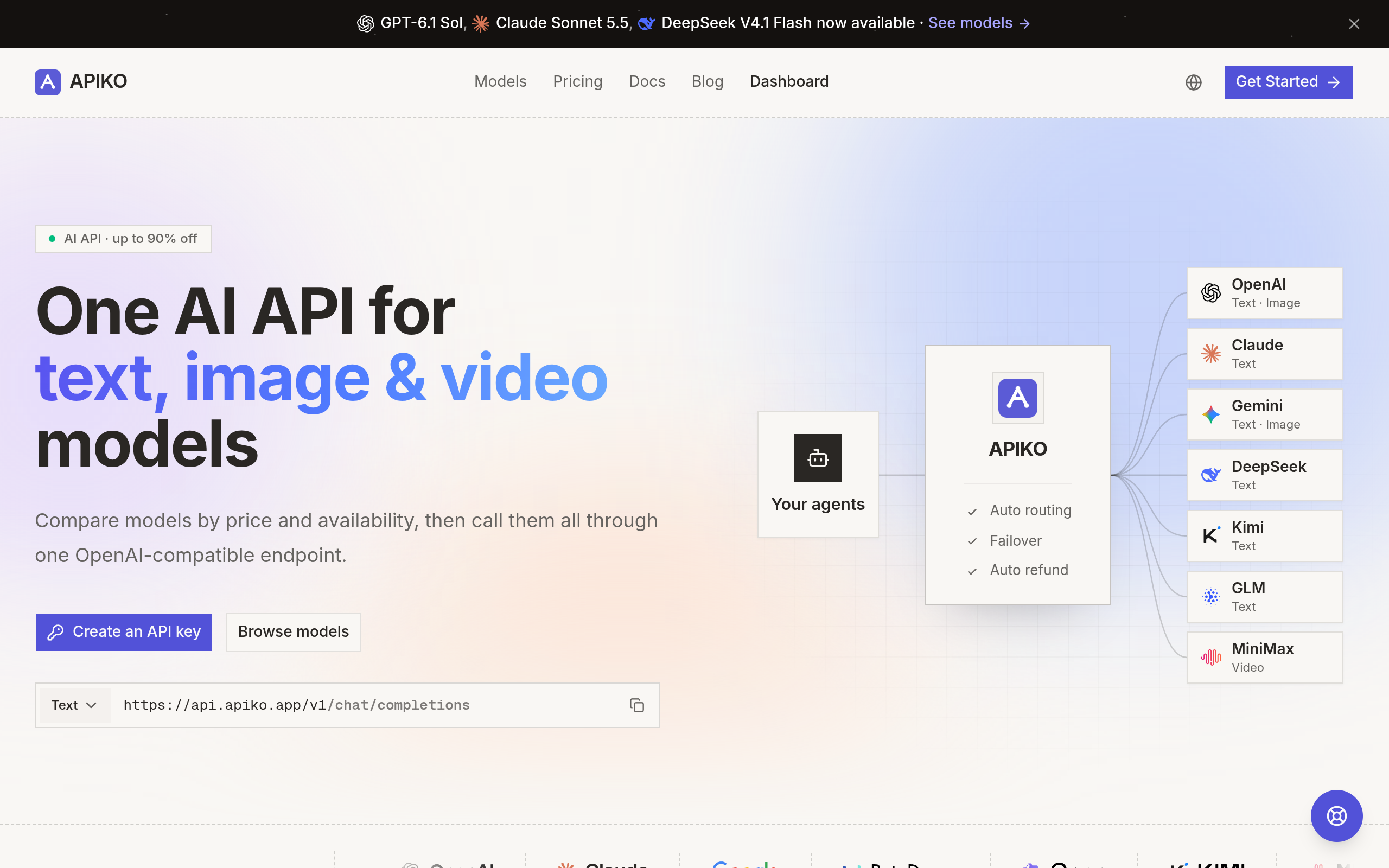
One OpenAI-compatible endpoint for text, image and video models from OpenAI, Anthropic, Google, DeepSeek and more, with live pricing.
About
APIKO AI API is an infrastructure-grade AI API gateway that lets developers call text, image and video models from leading providers through a single OpenAI-compatible endpoint. Instead of managing separate accounts and keys for OpenAI, Anthropic, Google, DeepSeek, Zhipu (GLM), Alibaba (Qwen), Moonshot AI (Kimi), ByteDance and xAI, you create one APIKO key, point your OpenAI SDK at https://api.apiko.app/v1, and switch models by changing the model id. Anything that speaks the OpenAI API works: the official SDKs, LangChain, LlamaIndex or plain HTTP. The model marketplace shows live prices and availability for every model, measured from real calls and scheduled probes. Requests are protected by automatic routing and failover, and when an upstream call fails, the amount held for it goes back to your balance automatically. Billing is pay as you go in USD: top up from $5, use the same balance on any model, and it never expires. There is no monthly fee or subscription.
Key Features
Single OpenAI-compatible Endpoint
Call text, image and video models from many providers (OpenAI, Anthropic, Google, DeepSeek, Kimi, GLM, Qwen, xAI, ByteDance, etc.) using one API key and the standard OpenAI API paths.
Live Model Marketplace & Pricing
Browse and compare real-time prices and availability for every model, with discounts and per-request billing shown and updated from scheduled probes and real calls.
Automatic Routing, Failover & Auto‑refunds
Requests are automatically routed to available upstream providers with failover; failed upstream calls release held amounts back to your balance automatically.
Pay-as-you-go USD Billing & Shared Balance
Top up a single USD balance (from $5), use it across any model/provider without subscriptions or monthly fees; balance never expires.
SDK & Ecosystem Compatibility
Works with official OpenAI SDKs, LangChain, LlamaIndex and plain HTTP—switch models simply by changing the model id in requests.
How to Use APIKO AI API
1. Sign up at https://apiko.app/ and top up your balance (from $5). 2. Create an API key in the dashboard. 3. Point any OpenAI SDK (or LangChain, LlamaIndex, plain HTTP) at https://api.apiko.app/v1 with your APIKO key. 4. Pick a model on https://apiko.app/models and switch models by changing the model id.